
Introduction
As businesses in Fiji grow, managing customer enquiries, sales, stock, purchasing and financial records can become more demanding. Information that was once manageable through spreadsheets and emails may become difficult to organise across several employees or locations.
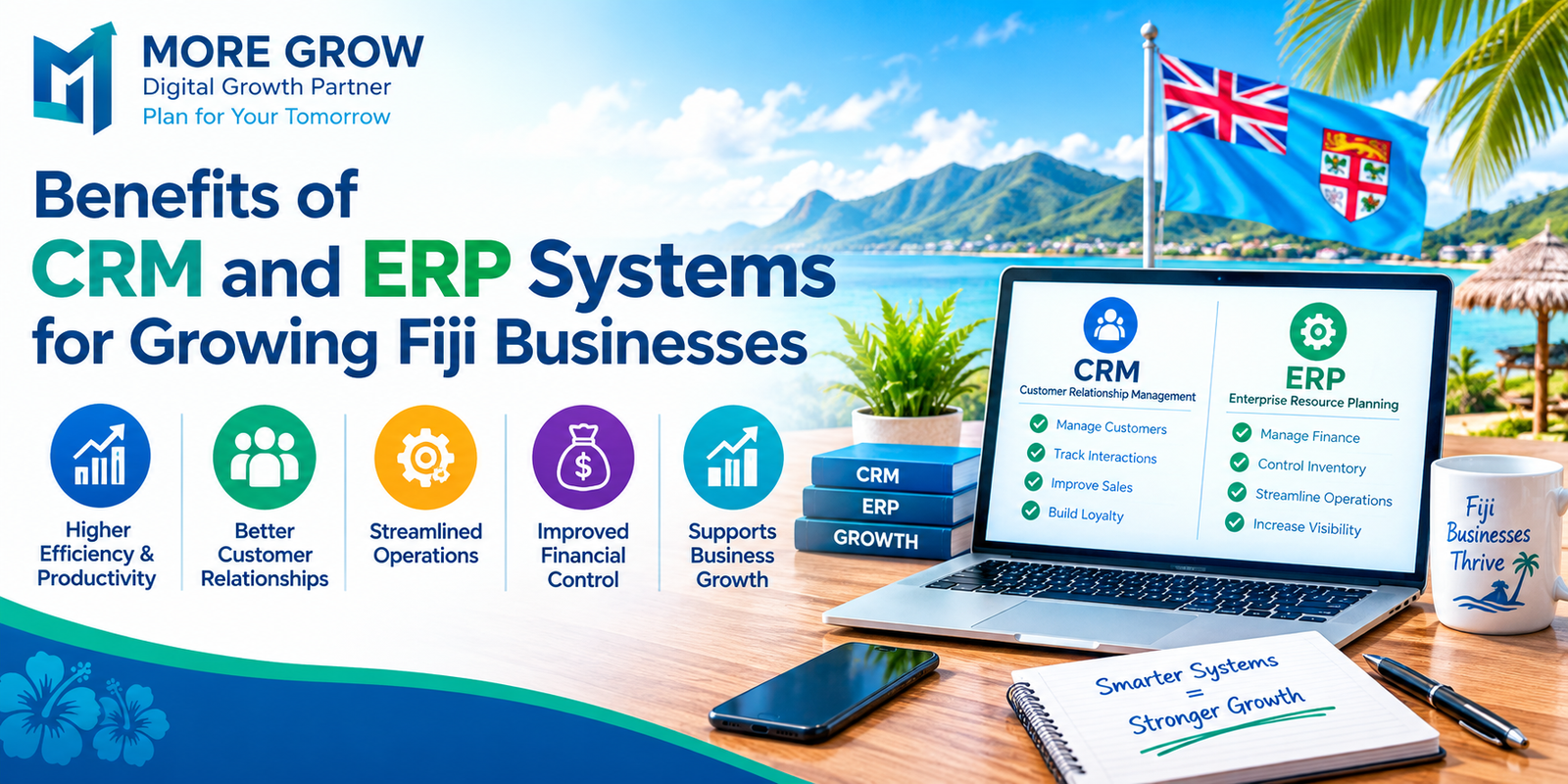
Customer Relationship Management (CRM) and Enterprise Resource Planning (ERP) systems can help businesses manage these activities more consistently.
CRM focuses mainly on customer relationships, sales and service. ERP connects operational activities such as finance, inventory and purchasing. Their benefits depend on choosing suitable software, maintaining accurate information and helping employees use it effectively.
1. What Is a CRM System?
A CRM system helps a business organise information about customers, prospects and their interactions with the company.
Instead of keeping enquiry details in separate inboxes, notebooks or spreadsheets, employees can maintain shared records of conversations, quotations and follow-up tasks.
Common CRM functions include:
- Customer and contact records.
- Enquiry and sales opportunity tracking.
- Follow-up reminders.
- Communication history.
- Customer service requests.
- Sales reports.
For example, a service business in Suva could use a CRM to record a new enquiry, assign it to an employee and schedule a follow-up after sending a quotation.
The system helps make responsibilities visible, reducing the chance that an enquiry is forgotten.
2. What Is an ERP System?
An ERP system connects core business processes through shared information and coordinated workflows.
Depending on the software and modules selected, it may support:
- Accounting and financial reporting.
- Purchasing and supplier management.
- Inventory and stock movements.
- Sales orders and invoicing.
- Production planning.
- Project costs and resource management.
For example, a distributor could use an ERP system to connect a customer order with available stock, purchasing requirements and invoicing.
Microsoft’s overview distinguishes ERP’s focus on internal operations from CRM’s focus on customer interactions and sales. The functions available vary between products.
3. How Can CRM Improve Customer Service?
Customers can become frustrated when they need to repeat information or receive inconsistent responses from different employees.
A CRM can give authorised staff access to previous conversations, outstanding requests and agreed next steps.
This can help businesses:
- Respond with better knowledge of the customer’s situation.
- Assign enquiries to the appropriate employee.
- Track unresolved service requests.
- Maintain continuity when staff are unavailable.
- Follow up after a purchase or completed service.
However, the records must be updated consistently. A CRM cannot provide a reliable customer history if important conversations are never recorded.
4. How Can CRM Support Sales Growth?
A CRM helps businesses track potential sales from the first enquiry through to a decision.
Managers can see which quotations are awaiting a response, which opportunities need attention and where enquiries are being lost.
Useful functions may include:
- Assigning ownership of each opportunity.
- Recording customer requirements.
- Scheduling follow-up activities.
- Tracking quotation progress.
- Reviewing reasons for unsuccessful sales.
- Comparing enquiry sources.
For a growing Fiji business, this can make the sales process more organised and easier to review.
A CRM does not guarantee additional revenue. Results also depend on customer demand, service quality, pricing and the sales team’s actions.
5. How Can ERP Improve Inventory and Purchasing?
Businesses that sell or use physical products need dependable information about stock availability.
An ERP system can connect purchases, receipts, sales and stock transfers, helping employees understand what is available and what needs replenishing.
Potential benefits include:
- Better visibility of stock across locations.
- More consistent purchasing records.
- Tracking outstanding supplier orders.
- Identifying slow-moving products.
- Setting suitable reorder alerts.
- Reducing repeated manual data entry.
For businesses purchasing goods from overseas, recording expected deliveries and supplier lead times can support planning.
System records still need to be checked against physical stock. Incorrect receipts, unrecorded sales or missed transfers can make inventory information unreliable.
6. How Can ERP Support Financial Visibility?
Growing businesses need to understand sales, expenses, outstanding invoices and payment commitments.
An ERP system with suitable accounting functions can connect financial records with operational transactions.
This may help businesses:
- Track customer invoices and overdue payments.
- Review supplier bills and upcoming commitments.
- Compare actual costs with budgets.
- Assess product or project margins.
- Produce more consistent management reports.
- Reduce delays caused by transferring information between systems.
Financial reports depend on correct entries, reconciliations and accounting settings.
Before implementation, confirm that the proposed system supports the business’s Fiji-dollar reporting, invoicing and applicable local accounting and tax requirements. These settings should be reviewed with the business’s accountant.
7. What Happens When CRM and ERP Work Together?
Connecting CRM and ERP can improve the flow of information between customer-facing teams and operational staff.
For example:
- A salesperson records an opportunity in the CRM.
- An accepted quotation becomes a sales order.
- Operational staff check availability and arrange delivery.
- Finance issues an invoice.
- Customer service reviews the order status when answering an enquiry.
A suitable integration can reduce duplicate entry and help teams work from consistent information. CRM software can connect with ERP and other business applications, although the available integrations depend on the product and configuration.
Businesses should test how information moves between systems, including what happens when a record changes or a transfer fails.
8. Which Fiji Businesses Could Benefit?
CRM and ERP requirements vary by industry, size and operational complexity.
Examples include:
- Retail and wholesale: Managing customers, stock, purchases and invoices.
- Hospitality and tourism: Coordinating customer enquiries, supplier purchasing and financial reporting, with appropriate specialist integrations.
- Manufacturing: Connecting materials, production activities, stock and costs.
- Professional services: Tracking proposals, projects, customer communication and billing.
- Construction and maintenance: Managing quotations, purchasing, job costs and service records.
- Import and distribution businesses: Tracking supplier orders, expected deliveries and customer demand.
Not every business needs both systems immediately. A smaller company may first need better customer follow-up, while another may have a more urgent inventory or accounting problem.
9. What Should Businesses Check Before Choosing a System?
Software selection should begin with the business’s actual problems and priorities.
Important considerations include:
- Required functions: Identify the activities the system must support.
- Ease of use: Ask employees to test realistic tasks.
- Existing integrations: Check compatibility with accounting, point-of-sale, booking or other systems.
- Connectivity: Test performance at the locations where employees will work.
- Offline capability: Confirm what remains usable during an internet interruption, if this is important.
- Security: Review access controls, account protection and audit records.
- Backup and recovery: Establish responsibilities and recovery procedures.
- Local suitability: Check currencies, reporting and relevant business requirements.
- Support: Confirm availability, response arrangements and ongoing assistance.
- Data portability: Understand how records can be exported if the business changes providers.
Cloud-based and on-premises arrangements have different costs and responsibilities. The choice should reflect the business’s resources, connectivity and support needs.
10. How Can Businesses Implement CRM and ERP Successfully?
A practical implementation starts with clear objectives and manageable scope.
Useful steps include:
- Define the problem: Identify issues such as missed follow-ups, inaccurate stock records or delayed reporting.
- Map current processes: Document how work moves between employees.
- Set measurable goals: Establish targets for response times, stock accuracy or reporting effort.
- Prepare existing data: Remove duplicates and correct incomplete records.
- Configure priority functions: Start with the features needed to address the main problems.
- Train employees: Use examples based on their daily responsibilities.
- Test before rollout: Check complete workflows, permissions and reports.
- Review performance: Compare outcomes with the original goals and address remaining gaps.
Businesses should budget for more than software subscriptions. Data migration, configuration, integrations, training, support and maintenance can all contribute to the total cost.
A phased rollout can help a team learn and resolve problems before introducing additional functions.
Conclusion
CRM and ERP systems can help growing Fiji businesses organise customer relationships, improve operational visibility and coordinate work across departments.
CRM supports customer communication and sales follow-up. ERP connects activities such as inventory, purchasing and finance. Together, they can reduce duplicated work and make information easier to use.
The strongest results come from selecting software that fits the business, maintaining accurate records and supporting employees through implementation. Clear goals and regular reviews help ensure the investment addresses practical business needs.








Leave A Comment