
Introduction
A business can outgrow its spreadsheets in different ways. A sales team may lose track of enquiries and quotations, while a warehouse may struggle to confirm stock levels or fulfil orders. Both problems involve business information, but they call for different capabilities.
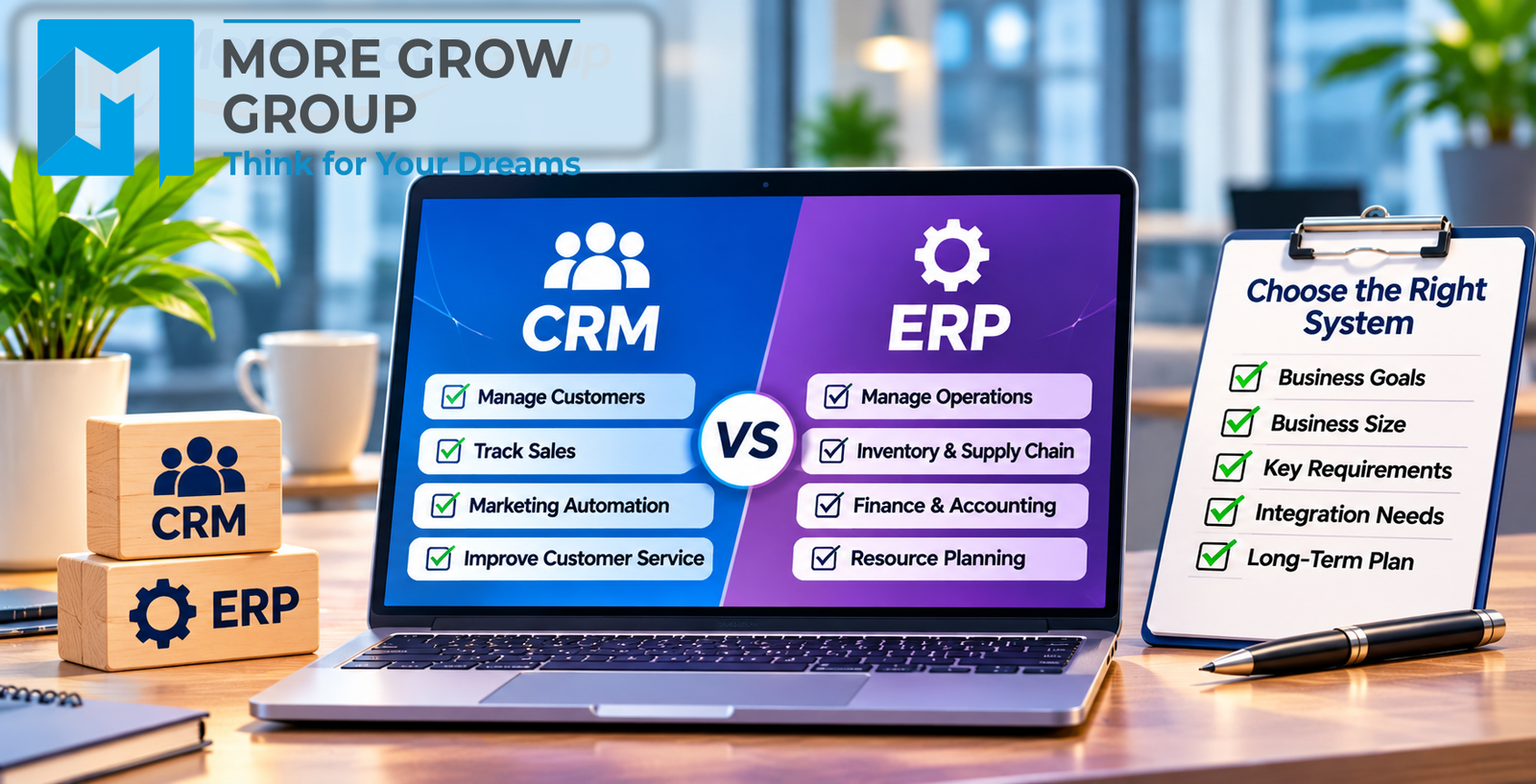
A customer relationship management (CRM) system helps teams manage enquiries, sales opportunities and customer interactions. An enterprise resource planning (ERP) system connects operational processes such as purchasing, inventory, fulfilment and finance. Some products cover both areas, so compare the workflows each system can support.
When discussing your requirements with More Grow Group Information Technology, bring examples of where work slows down, gets repeated or produces inconsistent records. Those examples make it easier to decide whether your business needs a CRM, an ERP or a connection between the two.
1. Define the Business Problem Before Comparing Software
Start with a specific example. “We need better reporting” could mean the owner cannot see which quotes are overdue, or it could mean finance cannot reconcile stock purchases with supplier invoices. Each problem requires different information and a different workflow.
Problem Details to Record
- Which teams and locations are affected.
- Where the process starts and where it breaks down.
- Which records staff enter more than once.
- How often delays, mistakes or missing information occur.
- What the business wants to improve and how it will measure progress.
2. Identify When a CRM System Fits
A CRM is a practical starting point when the main issue is keeping track of customers and sales activity. It gives staff a shared place to record enquiries, assign follow-ups and see how each opportunity is progressing.
Signs Your Business May Need a CRM
- Enquiries arrive by phone, email or website form and are tracked separately.
- Sales staff cannot see who owns an enquiry or when it was last followed up.
- Quotes are sent without a scheduled reminder or recorded outcome.
- Customer conversations are scattered across individual inboxes.
- Managers struggle to see which opportunities are likely to progress.
For example, a service business that regularly forgets to follow up on quotes could use a CRM to assign each enquiry, record the quote and set a follow-up date.
3. Identify When an ERP System Fits
An ERP may fit when different teams need to work from connected operational records. For a distributor, that might mean linking a confirmed customer order to available stock, warehouse dispatch and invoicing.
Signs Your Business May Need an ERP
- Warehouse and sales teams see different stock quantities.
- Purchase orders, goods receipts and supplier invoices are difficult to match.
- Staff re-enter confirmed orders into several systems.
- Finance relies on manual checks to reconcile operational records.
- Managers need to see purchasing, inventory or order status across several locations.
Review the modules included in each proposal. A package that handles purchasing and inventory may need additional modules or configuration to cover your finance and reporting requirements.enterprise resource planning
4. Map the Process From Enquiry to Payment
Choose a recent customer order and trace it from the first enquiry through quotation, order confirmation, delivery and payment. Ask the people who handled each step to show you which records they used and where they had to check information with another team.
<h3> Handover Points to Review </h3>
| Handover | What to check |
| Enquiry to quote | Can staff see the customer’s request, previous conversations and the next action? |
| Quote to confirmed order | Can the approved products, prices and quantities move across accurately? |
| Order to dispatch | Can staff see what is available, allocated or still on order? |
| Dispatch to invoice | Does the invoice reflect what was delivered, including partial deliveries? |
| Invoice to payment | Can finance identify outstanding balances and match payments to invoices? |
If the breakdown happens mainly before an order is confirmed, begin by reviewing CRM capabilities. If it happens mainly during stock allocation, fulfilment or invoicing, give operational capabilities more weight. If the main problem sits at the handover, test how the systems exchange the order.
5. Decide Whether You Need Both Systems
Some businesses need a CRM for enquiries and quotes alongside an ERP for inventory, orders and finance. Others may be able to cover their requirements with one product. Compare what staff can accomplish from start to finish, including how they correct mistakes and handle exceptions.
<h3> Integration Questions to Ask </h3>
- Which system maintains customer records, product codes and prices?
- When does an accepted quote become a confirmed order?
- Which fields transfer automatically, and which require manual review?
- How are changes to quantities, prices or addresses handled after transfer?
- Who is alerted if a record fails to sync?
- How are duplicate orders detected and corrected?
For example, if an accepted quote becomes a sales order, test whether a later change to that quote updates the existing order, triggers a review or creates a duplicate.
6. Separate Essential Requirements From Optional Features
Turn each business problem into something you can test during a demonstration. “Inventory management” is a broad feature label. “Reserve stock for a confirmed order and show the remaining quantity available to sell” is a requirement a provider can demonstrate.
<h3> Requirements to Define Before Requesting Quotations </h3>
- Essential at launch — Functions needed to complete daily work, such as assigning leads or recording goods receipts.
- Needed later — Functions planned for a future phase, such as additional branch reporting.
- Optional — Features that would save time but can wait until the core workflow is working reliably.
7. Review Compatibility With Existing Infrastructure
List the tools you already use for email, accounting, point of sale, e-commerce, stock control and reporting. Decide which tools you plan to keep and what information needs to move between them.
<h3> Compatibility Questions to Confirm </h3>
- Does the proposed system support the specific version of your existing software?
- Which records can be imported or synchronised?
- Does information move in one direction or both?
- How quickly do changes appear in the other system?
- What happens when an integration is unavailable?
- Who maintains the integration after launch, and what does that cost?
8. Prepare Your Data Before Migration
Review existing records before deciding what to move. Customer lists may contain duplicates, stock codes may differ between branches and older records may be better kept in a searchable archive.
Data to Review
- Customer and supplier contact records.
- Product codes, units of measure and price lists.
- Open enquiries, quotes, purchase orders and sales orders.
- Stock balances by location.
- Opening financial balances, where the project includes finance.
- Historical records staff need to access after launch.
Use a trial import to check field mapping and sample records. Before going live, reconcile key totals such as opening stock and open orders with the records from the previous system.
9. Review Access, Connectivity and Backup Arrangements
Consider how staff will use the system across your offices, branches, warehouses or field locations in Fiji. If a site has intermittent internet access, ask the provider to demonstrate what happens during an outage and how records are reconciled when access returns.
Operational Details to Confirm
- Which roles can view, edit, approve or export records.
- How accounts are protected and removed when staff leave.
- Whether staff can continue any essential tasks during an outage.
- How backups are managed and what the restoration process covers.
- Whether the business can export its data in a usable format.
10. Compare Total Cost and Ongoing Support
Compare proposals using the same number of users, sites and required functions. A subscription price covers only part of the cost if your business also needs data migration, integrations and staff training.
Cost and Support Details to Review
- Subscription fees by user, location or module.
- Configuration and implementation charges.
- Data preparation, migration and validation costs.
- Integration setup and ongoing maintenance.
- Training for users and administrators.
- Support hours, escalation arrangements and additional charges.
Ask for one-time and recurring costs to be shown separately. Confirm who will handle problems that involve more than one provider, such as a failed transfer between the CRM and the accounting system.
11. Test a Real Workflow Before Approving the Rollout
Give each provider the same sample scenario and ask the staff who perform the work to take part. Include an exception, such as a customer changing the delivery quantity after accepting a quote.
What to Check During a Pilot
- Can staff complete the workflow with their assigned permissions?
- Does information reach the next team accurately?
- Can users correct an order without losing its history?
- Do stock and invoice records reflect partial deliveries?
- Can managers use the reports to answer the questions that prompted the project?
A Practical CRM and ERP Selection Checklist
| If the main problem is… | Start by assessing… |
| Missed enquiries, overdue follow-ups or limited sales visibility | CRM |
| Stock discrepancies, duplicate order entry or fulfilment delays | ERP or the operational modules that address the issue |
| Quotes moving into orders with incorrect prices or quantities | Integration between CRM and ERP, or one product that supports both workflows |
| One isolated problem in an otherwise workable process | Configuration or a targeted upgrade to the existing system |
Hypothetical Example: Choosing a System for a Fiji Distributor
A Fiji distributor receives enquiries by email and prepares quotes in spreadsheets. Sales staff occasionally miss follow-ups, but the most frequent delays happen after customers accept a quote. Stock is tracked separately at two locations, so staff sometimes confirm an order before checking that the products are available.
How the Distributor Reviews Its Options
The team tests whether a proposed system can show stock by location, reserve quantities against a confirmed order and record a partial dispatch. It also checks whether finance can invoice the goods delivered while keeping the balance visible as outstanding.
Because stock and fulfilment cause the most disruption, the distributor prioritises those workflows in its first phase. It also checks whether a CRM can be added later without creating duplicate customer records or requiring staff to re-enter approved quotes.
What Should Be Included in a Software Proposal?
Ask for a written proposal that connects each requirement to the module, configuration or integration that will deliver it.
Request Written Details Of
- The workflows included in the proposed scope.
- The modules, licences and user roles required.
- The data to migrate and who will validate it.
- Integration requirements and any limitations.
- Implementation milestones and staff training.
- Acceptance tests and handover documents.
- Ongoing support and escalation arrangements.
Common CRM and ERP Selection Mistakes to Avoid
- Choosing from a feature list alone. Ask the provider to demonstrate the tasks your staff perform each week.
- Automating an unclear process. Agree on ownership, approvals and handovers before configuring the software.
- Migrating every record by default. Decide what belongs in the live system and what can remain in an archive.
- Leaving responsibility for shared records unclear. Name the system and team responsible for maintaining customer, product and order data.
- Measuring success only by the launch date. Track outcomes such as faster enquiry follow-up, fewer duplicate entries or fewer stock discrepancies.
Discussing Your Requirements With More Grow Group Information Technology
When discussing a CRM or ERP project with More Grow Group Information Technology, share a short process map and one or two examples of where work breaks down. Ask the team to confirm its capability for the software, migration, integrations, training and support your project requires.
Information to Share Includes
- Your priority workflows and the teams involved.
- The number of users, branches or work sites.
- Your existing software and the tools you need to retain.
- Sample reports, forms or records that show the issue.
- Your preferred rollout schedule and support requirements.
Choosing a System Around the Work Your Business Needs to Improve
Start with the workflow that causes the most delay or repeated work. If enquiries and quotes are slipping through, assess CRM capabilities first. If stock, orders and invoices are difficult to reconcile, assess the relevant ERP capabilities. Where the problem spans both, test the handover with a real example before choosing a system.








Leave A Comment